Menu ▼
Log In
Greater Seattle Aquarium Society

GMAIL Help

If you are using gmail and find that some of the Airstone posts end up in your Spam folder, or you are not receiving a copy of the message you sent to the Airstone (or other e-mail lists), you can try the following instructions below.
This procedure creates a filter in gmail that always allows list emails. This resolves the issues of some list emails landing in the spam folder, and your own posts not being visible to yourself. This can apply for any email list you are subscribed to.
  1. Sign into gmail in a web browser.
  2. Open an email that came in from Airstone (or other relevant email list)
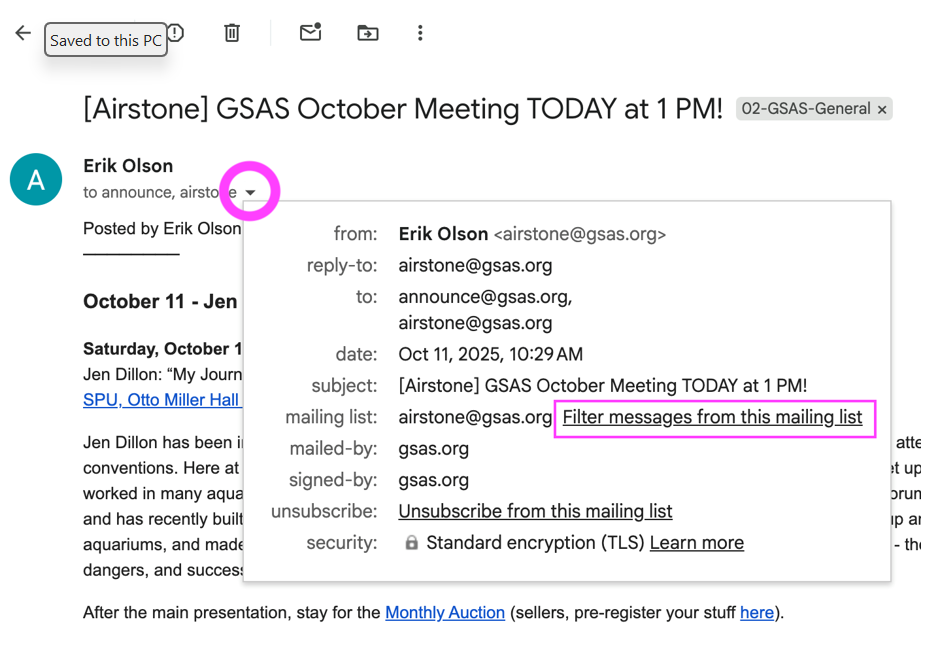
  3. Click on the little down arrow next to the name/address under “to:”. This is typically just below the "from" name (in the example below, next to airstone below the Erik's name). Then click on “Filter messages from this mailing list”. I’ve highlighted the two spots in the screen shot.
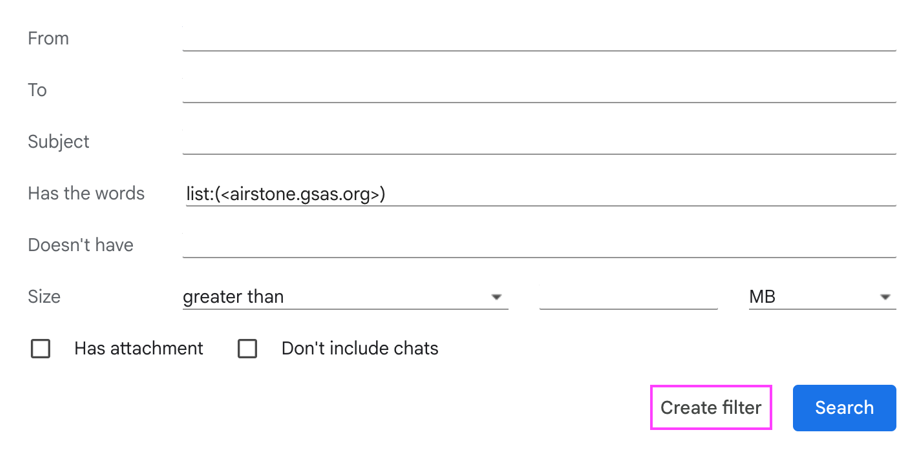
  4. You’ll get a box that looks like below; click on “create filter” near bottom right of that box:
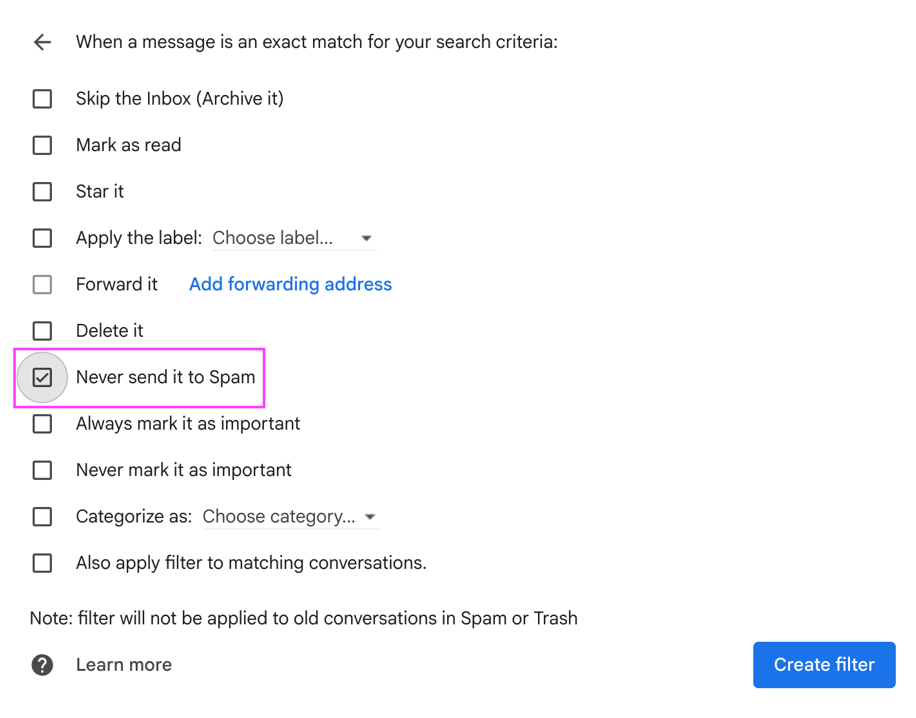
  5. You’ll get a list that looks like the below screen shot, check “never send messages to spam”
  6. Then click on the create filter button in the bottom right of the above window. That’s it! All messages from that list should now show up in your inbox, including your own.